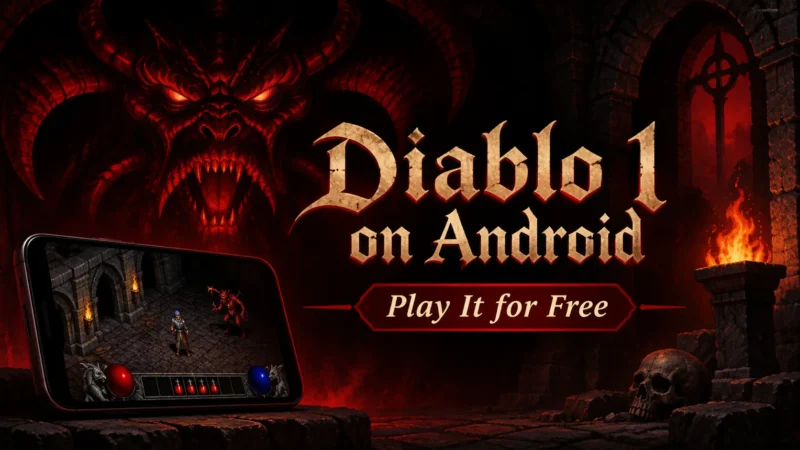
The original Diablo is 30 years old, and you can still explore the dungeons beneath Tristram on an Android phone. You won’t need a Windows emulator or a gaming PC. In fact, you don’t even need to own the game to give it a try.
This is possible thanks to DevilutionX, a community project that brings the original Diablo to modern devices. It supports a free, limited version of the game, and anyone who already owns Diablo can use their original files to play the complete campaign.
Better yet, you can do everything directly on your Android phone, without connecting it to a computer. That includes installing the free demo and, if you decide to buy the game, setting up the full version.
A Little About the Original Diablo
Released in 1996 and developed by Blizzard North, Diablo helped establish the action RPG formula that would influence the genre for years to come. Its influence can still be seen in many of the best classic PC games that followed.
The adventure begins in Tristram, a troubled little village built above a cathedral filled with monsters. As you descend through the dungeon, the enemies become more dangerous, the equipment gets better, and eventually you’ll have to face Diablo himself.
You can choose between three classes: Warrior, Rogue, and Sorcerer. Each plays differently, and switching classes gives you a good reason to return for another adventure.
For me, Diablo’s atmosphere remains its greatest achievement. The haunting music, the dark corridors, the uncertainty about what might be waiting behind the next door. I don’t think any of its sequels quite captured that feeling.
The mechanics are fairly straightforward, and the randomized dungeon layouts keep things interesting. It’s the kind of game where you plan to clear one more level and suddenly realize you’ve been playing for hours.
What Is DevilutionX?
DevilutionX is a free, open-source project that allows the original Diablo and its Hellfire expansion to run on modern operating systems.
Its developers reconstructed the original game’s engine and adapted it for devices Diablo was never designed to support, including Android phones and tablets.
Most of the gameplay remains faithful to the original release. The improvements focus on compatibility, controls, stability, and a few optional conveniences.
Here’s what DevilutionX offers:
- Touchscreen controls designed for Android.
- Support for physical controllers.
- Widescreen display options.
- Bug fixes and stability improvements.
- Optional quality-of-life settings.
- Multiplayer across supported platforms.
- Support for Hellfire if you have the expansion files.
The graphics and combat haven’t been redesigned. If you remember playing Diablo on an old Windows PC, you’ll recognize the experience immediately.
Projects like this have become an important part of classic PC gaming. The Wing Commander patches that eventually made their way into EA’s official rereleases are another example of the work fans have put into keeping older games playable.
There’s one distinction worth understanding before we continue. DevilutionX is completely free, but the full Diablo game isn’t. The engine and the original game assets are separate.
However, DevilutionX also supports Diablo’s original shareware release. That means you can explore a limited portion of the game without purchasing anything.
Where to Download Diablo 1 for Android
The files and applications needed for this guide are available through the official project or resources referenced in its documentation.
| Download | Purpose |
|---|---|
| DevilutionX on Google Play | Free Android app |
| DevilutionX GitHub Releases | Alternative official APK download |
| Diablo Shareware Data (spawn.mpq) | Free demo data file |
| Diablo + Hellfire on GOG | Purchase the complete game |
| Inno Setup Extractor | Extract the purchased game files directly on Android |
If you only want to try Diablo for free, start with DevilutionX on Google Play. You won’t need the GOG installer or Inno Setup Extractor unless you decide to play the full version.
How to Play Diablo 1 on Android for Free: Step by Step
Getting the free demo running is relatively simple. You can complete the installation directly on your phone, without a PC, paid applications, or files from a purchased copy of Diablo.
Step 1: Install DevilutionX
- Open the Google Play Store on your Android phone.
- Search for DevilutionX – Diablo 1 port by Diasurgical, or use the Google Play link above.
- Tap Install and wait for the download to finish.
- Open DevilutionX.
The application itself is free. You don’t need to buy Diablo to install or launch it.
If you prefer installing applications manually, you can also download an APK from the project’s official GitHub releases. For most users, though, Google Play is the easier choice.
Step 2: Start the Free Diablo Demo
DevilutionX supports the original shareware version of Diablo, which contains enough content to get a feel for the game.
- Open DevilutionX on your phone.
- If the initial setup screen offers an option to download or start the demo, select it.
- Allow the application to download the necessary shareware data.
- Once the files are ready, continue into the game.
The demo uses a file named spawn.mpq, which contains the assets from Blizzard’s original shareware release.
This is different from DIABDAT.MPQ, the data archive required for the complete game. You don’t need that file to play the demo.
If DevilutionX cannot download the shareware content automatically, you can import the file yourself using the instructions below.
Step 3: Install the Shareware File Manually if Needed
The DevilutionX project provides a direct download for the original shareware data. You can save the file to your phone and import it without using a computer.
- Open the Diablo Shareware Data download link.
- Save the
spawn.mpqfile to your Android device. - Find the DevilutionX icon on your home screen or in the app drawer.
- Long-press the icon and select Import Data if the shortcut appears. Supported versions also provide an Import Data option on the initial setup screen.
- When Android’s file picker opens, navigate to your Downloads folder.
- Select
spawn.mpqand allow DevilutionX to import it. - Return to the application and try launching the game. If you see a Check again button, tap it.
Using the import function is particularly convenient on newer Android versions, where direct access to application folders is restricted.
Important: Keep the filename as spawn.mpq. There’s no need to extract the archive or rename it to DIABDAT.MPQ.
Step 4: Start Playing
With the shareware data imported, you should be able to enter Diablo’s world directly from your Android phone.
The demo includes Tristram and the early dungeon areas. You’ll get to fight monsters, find equipment, explore the environment, and experience the atmosphere that made the original game so memorable.
Naturally, there are limitations. The shareware release restricts some character options and game content, and you won’t be able to finish the entire campaign.
For a free introduction, though, it gives you a reasonable idea of what to expect.
If you’re interested in trying more older titles without conventional installations, I’ve also put together a list of classic PC games you can play directly in a browser. Browser-based games have their own compatibility requirements, so a dedicated Android port may still be more convenient on a phone.
A Personal Note: Try Before You Buy
I think having a free demo is particularly valuable for anyone who missed Diablo when it originally came out.
It’s quite different from modern action RPGs. Combat is slower, inventory management takes more effort, and many conveniences we’ve become accustomed to simply aren’t there.
Some players will enjoy that older approach. Others may find it frustrating, especially on a touchscreen.
That’s why I’d recommend spending a little time with the free version before buying the full game. You’ll get a much better sense of whether Diablo is something you’ll genuinely enjoy, rather than purchasing it based on its reputation alone.
How to Install the Full Diablo 1 Game on Android Without a PC
If you enjoyed the demo, you can continue with the complete Diablo campaign using the files from a legitimate copy of the game.
You can also complete this installation entirely on an Android phone. A Windows PC is not required.
The following method uses the GOG release of Diablo, which includes an offline installer containing the original game data.
Step 1: Get a Legitimate Copy of Diablo
- Open GOG.com in your phone’s browser.
- Sign in to your GOG account.
- Purchase Diablo + Hellfire if you don’t already own it.
- Open the game in your GOG library.
- Locate the offline backup installer for Windows.
- Download the installer files to your Android phone.
Make sure you’re downloading the offline installer rather than GOG Galaxy.
The installer uses the .exe format because it’s intended for Windows, but that’s fine. We only need to extract the original game files, so there’s no reason to run Windows on your phone.
Step 2: Install Inno Setup Extractor
- Open the Google Play Store.
- Download Inno Setup Extractor.
- Launch the application.
- Grant the necessary permissions to access and extract your downloaded files.
Inno Setup Extractor can unpack compatible Windows installation packages directly on Android, including supported GOG installers.
This allows us to retrieve Diablo’s original data without installing the Windows version of the game.
Step 3: Extract Diablo’s Game Files
- Open Inno Setup Extractor.
- Select the Diablo offline installer you downloaded from GOG.
- Choose a destination for the extracted files, such as
Download/DiabloExtracted. - Start the extraction process.
- Wait until it finishes before opening the destination folder.
- Locate the file named
DIABDAT.MPQ.
The DIABDAT.MPQ archive contains the original game data that DevilutionX needs to run the complete version of Diablo.
Once you’ve extracted it, there’s no need to install or launch the Windows game.
If you also want to play the Hellfire expansion, look for these additional files in the extracted Hellfire directory:
hellfire.mpqhfmonk.mpqhfmusic.mpqhfvoice.mpq
I’d suggest getting the original Diablo working first. You can deal with Hellfire afterward.
Step 4: Import the Full Game Data into DevilutionX
- Return to your Android home screen.
- Locate the DevilutionX application icon.
- Long-press it and select Import Data. You may also find the option on the application’s setup screen.
- Navigate to the folder containing your extracted Diablo files.
- Select
DIABDAT.MPQ. - Wait until the import finishes.
- Open DevilutionX again.
- If the setup screen still appears, tap Check again to let the application detect the imported data.
DevilutionX copies the selected archive into its own application storage, where it can access the files needed to run Diablo.
Once the correct data has been imported, you should be able to play the complete campaign instead of the limited shareware version.
For Hellfire, repeat the import procedure with the four expansion MPQ files listed earlier.
Step 5: Check That Everything Works
- Launch DevilutionX and check whether you can access the full game’s character options and begin a new campaign.
- If the application still starts in demo mode or reports missing data, confirm that
DIABDAT.MPQwas imported correctly. - Keep the downloaded installer and extracted files until you’re satisfied that everything is working.
After the initial setup, you can launch Diablo directly on your phone without connecting it to a computer.
Personally, I like keeping offline copies of classic games and their installation files whenever possible. It’s the same thinking behind my offline gaming laptop for classic PC games, where the aim is to have everything needed to play stored locally.
How Well Does Diablo 1 Play on a Touchscreen?
Diablo was originally designed around keyboard and mouse controls, so playing it on a phone takes some adjustment.
DevilutionX includes touchscreen controls and interface changes that make the game more manageable on Android. You can move your character, fight monsters, use spells, and manage your inventory without connecting additional hardware.
Physical controllers are supported as well, and some players may find them more comfortable during longer sessions.
Diablo’s relatively slow combat can suit a touchscreen better than you might expect. Exploring the dungeon and fighting smaller groups of enemies generally doesn’t demand the kind of rapid input required by more recent action games.
Inventory management and precise targeting are another matter. Both can feel awkward on a smaller screen, particularly until you’re familiar with the controls.
This is another reason to start with the free demo. Spend enough time with it to decide whether you actually enjoy playing Diablo on your phone before buying the complete game.
Common Problems and Fixes
DevilutionX Says Game Data Is Missing
DevilutionX needs the appropriate game data before it can launch.
For the free demo, that means spawn.mpq. The complete game requires DIABDAT.MPQ.
Check that you’ve downloaded the correct file and imported it successfully. Installing the application alone doesn’t provide the full retail version of Diablo.
Android Won’t Let Me Access the DevilutionX Folder
Recent Android versions restrict access to application data directories, which can make manual file transfers difficult.
Rather than trying to copy files directly into Android/data/org.diasurgical.devilutionx/files, use DevilutionX’s Import Data function if it’s available in your installed version.
The GOG Installer Won’t Open on My Phone
The GOG offline installer is a Windows .exe file. Android cannot run it as a normal application.
That’s expected. Open the installer through Inno Setup Extractor and retrieve the MPQ files instead.
The Game Still Starts in Demo Mode
First, check whether you’ve imported DIABDAT.MPQ from your purchased copy of Diablo. Importing spawn.mpq again will only provide the shareware content.
If the correct file is already present, restart DevilutionX and let it check the game data again.
Is DevilutionX Legal?
DevilutionX is an open-source project that provides its own implementation of Diablo’s original game engine.
The project doesn’t distribute the complete commercial game. Players who want access to the full campaign need to provide the original game data from a legitimate copy of Diablo.
The shareware release is separate and allows people to try a limited portion of the game for free.
You can read more about the project, examine its source code, and find additional installation documentation in the official GitHub repository.
Is Diablo 1 Worth Playing on Android?
If you enjoy classic PC games, I think Diablo is still worth your time.
Its atmosphere remains excellent, and there’s something satisfying about gradually working your way through the dungeon, finding better equipment, and preparing for the next encounter. Some mechanics have certainly aged, but they haven’t stopped the game from being enjoyable.
DevilutionX makes returning to Diablo considerably easier. It runs on modern Android devices, offers optional improvements, and removes the need to maintain an old Windows installation.
And since you can try the game for free, there’s little reason not to give it a chance. You can even complete the entire setup using your phone.
Keeping older games playable is something I care about beyond PC gaming. I’ve explored similar concerns with my physical PlayStation game collection, where preserving access to games we already own is becoming increasingly important.
Start with the shareware release and spend a little time exploring Tristram. If you enjoy it, the complete game is available on GOG, ready to take you much further beneath the cathedral. Nearly 30 years later, it still holds up.